Keep the card.
Scan one or both sides, or import a photo. metat recognises the details on your device and keeps the card image.
meetchatstay in touch
metat · The networking app for iPhone and iPad
metat (met@) turns business cards into real connections. Scan a card, save the contact to your iPhone and plan your follow-up while the conversation is still fresh.
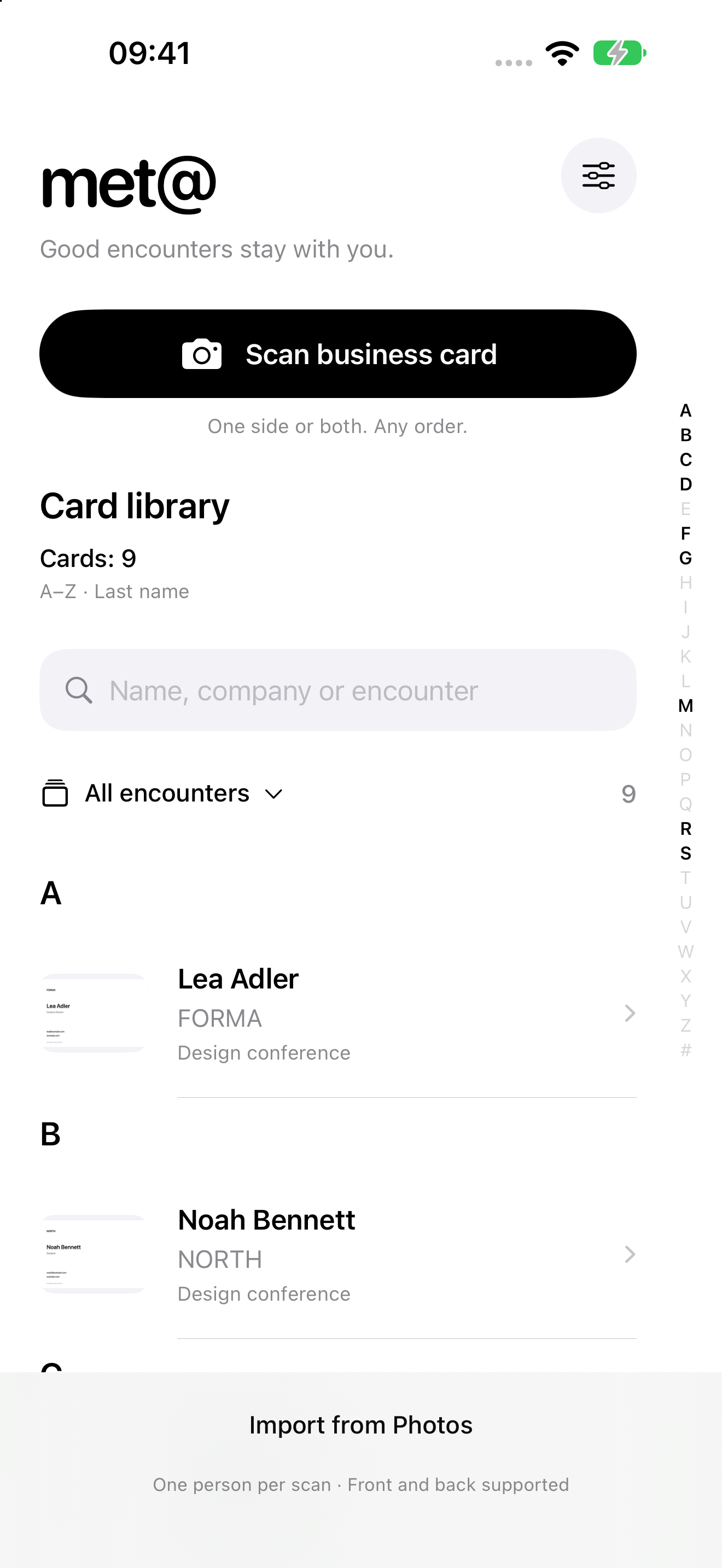
App preview · Coming soon to the App Store
From a brief encounter
At a conference, convention or networking event: a good conversation. An idea, a shared interest, perhaps a future project. Then everyday life takes over. metat keeps the person, the place and the thought you want to return to together.
Scan one or both sides, or import a photo. metat recognises the details on your device and keeps the card image.
Review and correct the recognised details. Save them to Contacts or add them to an existing entry.
Your own list. Where you met. A personal note. A calendar event or a reminder. Pick up where your conversation left off.
Your digital business card
Scan your own card or enter the details yourself. After a quick review, your digital business card is ready. Create a separate card for each role.
Capture one or both sides, or import a photo. Review the recognised details and add anything you need.
Show your contact QR on screen. The details are in the code itself — with no profile website.
Send the contact file, with an optional photo or logo, through AirDrop or the share sheet. Your scan images stay with you.
A look inside metat
Search, lists and A–Z lead you back to the right card.
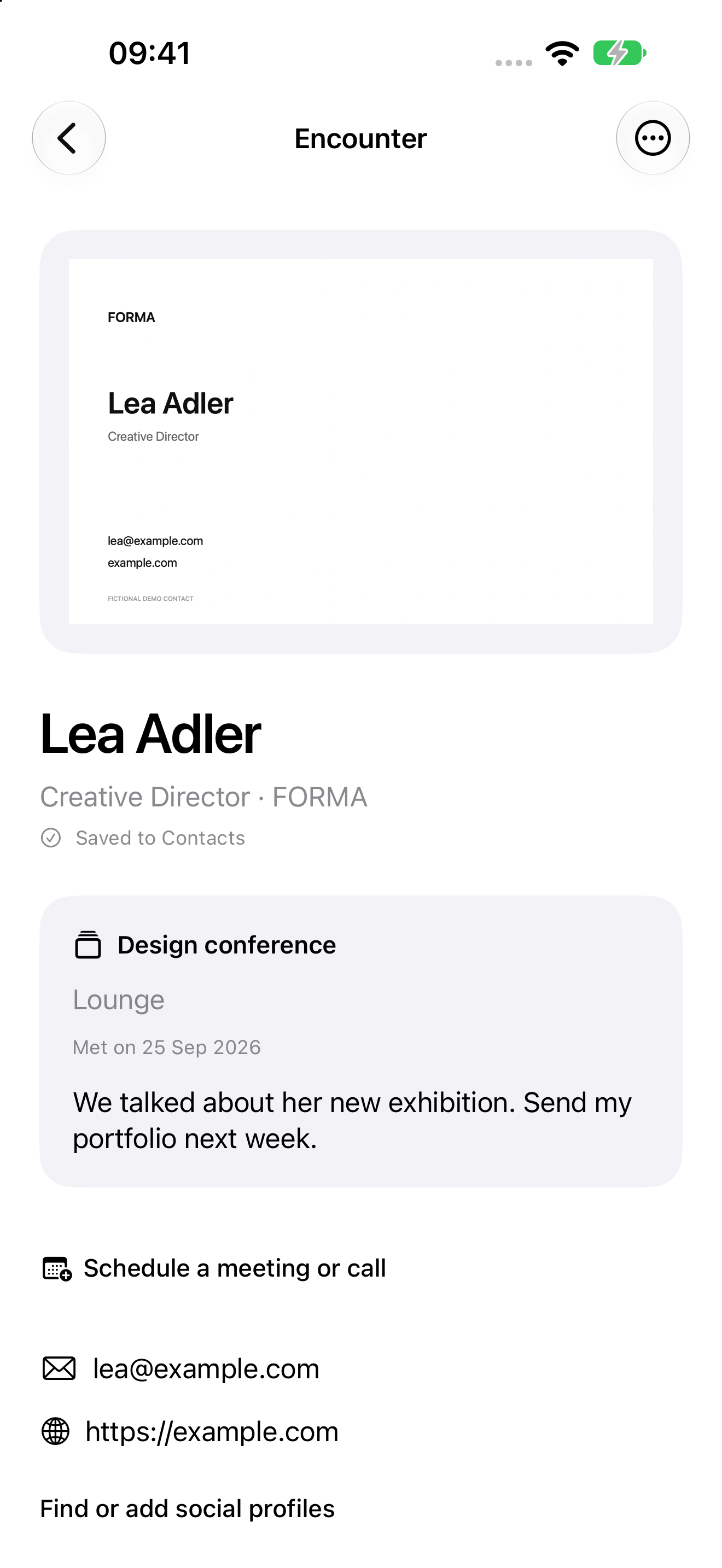
The original image, contact details and personal note together.
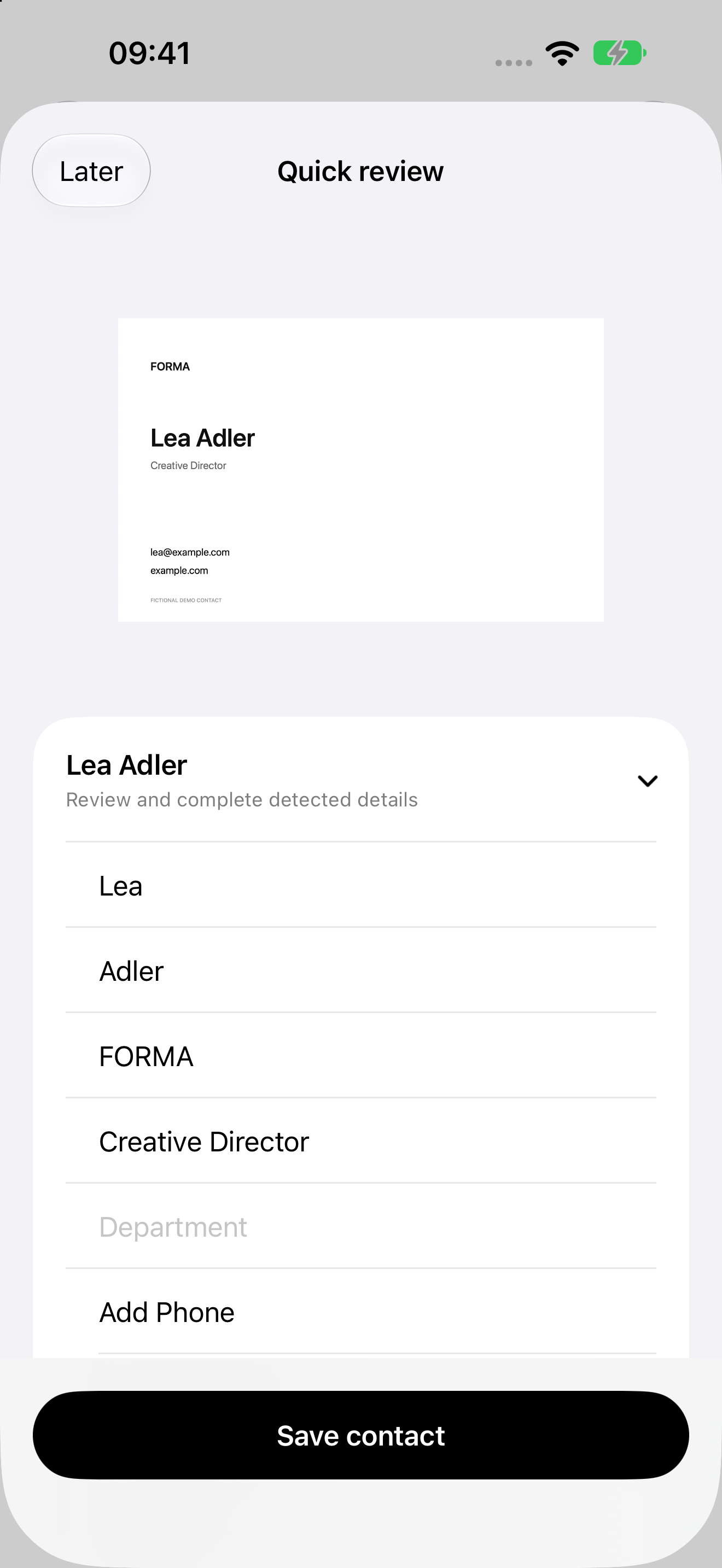
Review the recognised details and plan your next step.
Simple by choice
Text recognition runs locally. You do not need a metat account to scan and archive cards. Personal encounter notes stay in the metat archive. You choose what to save to Contacts, add to a calendar or share.
How metat handles dataGroup encounters the way you want to find them later.
Type a thought or dictate it locally when your device and language support it.
Choose a separate portrait. A portrait crop is suggested automatically and can be adjusted at any time. The original card image stays intact.
Set a reminder or an event. New events alert you 15 minutes before they start; change the lead time or turn that alert off.
Choose a morning summary of the follow-ups saved in metat. Set the time that works for you.
Open websites and saved social profiles directly from metat. Start any additional search yourself and check you have the right person.
Keep it as simple as you like: turn off extra prompts, the intro and the morning summary in Settings. The morning summary starts off.
metat, with the met@ logo, is a networking app for iPhone and iPad. It combines a business card scanner, contact archive and follow-up planning to turn a good conversation into a next step.
Photograph one or both sides of a card, or import a photo. metat recognises the details on your device. Review them and save them to iPhone Contacts; the original card image stays in your archive.
Yes. Create one or more cards with contact details, a photo or logo and social links. Share a contact file through AirDrop or show your contact QR code. No public profile website is required.
Plan an event or reminder as you save a contact. Calendar alerts default to 15 minutes before the event; change the time or turn alerts off. An optional morning summary shows follow-ups planned in metat.
Freelancers, founders, creatives and anyone making professional connections at conferences, conventions or other events. Custom lists and notes help you remember where you met.
The store launch is being prepared. Once metat is available, the download button here will link directly to the App Store. Direct Google Calendar and Google Meet connections are planned for a later update.
meet · chat · stay in touch